Transform Your Restaurant with a QR Code Menu & Ordering System
Eliminate the hassle of reprinting menus, reduce order errors, and speed up kitchen operations. With SnapServe QR code menu, easily integrate a seamless online ordering system into your restaurant, offering a faster and more enjoyable dining experience for your customers.
Streamline dining with SnapServe - reduce waste, improve accuracy, and grow your business.
SnapServe offers a powerful subscription service with a range of options tailored to meet your needs!
Our basic subscription includes one menu and ordering service, allowing you to access essential features at an affordable price. You can utilize the basic plan without any obligation to upgrade, and your QR code will remain active at all times.
With our service, you can receive unlimited dine-in, delivery, and takeaway orders under this plan.
Get started in three simple steps and transform your restaurant experience
1
Register & Get QR
Quick Setup
Provide the name of your restaurant, the language for the menu, your country, and indicate if you want to use images and ordering. Access your dashboard instantly to track your restaurant's performance.
Dashboard AccessAnalyticsUser Management
2
Add Categories & Items
Build Your Menu
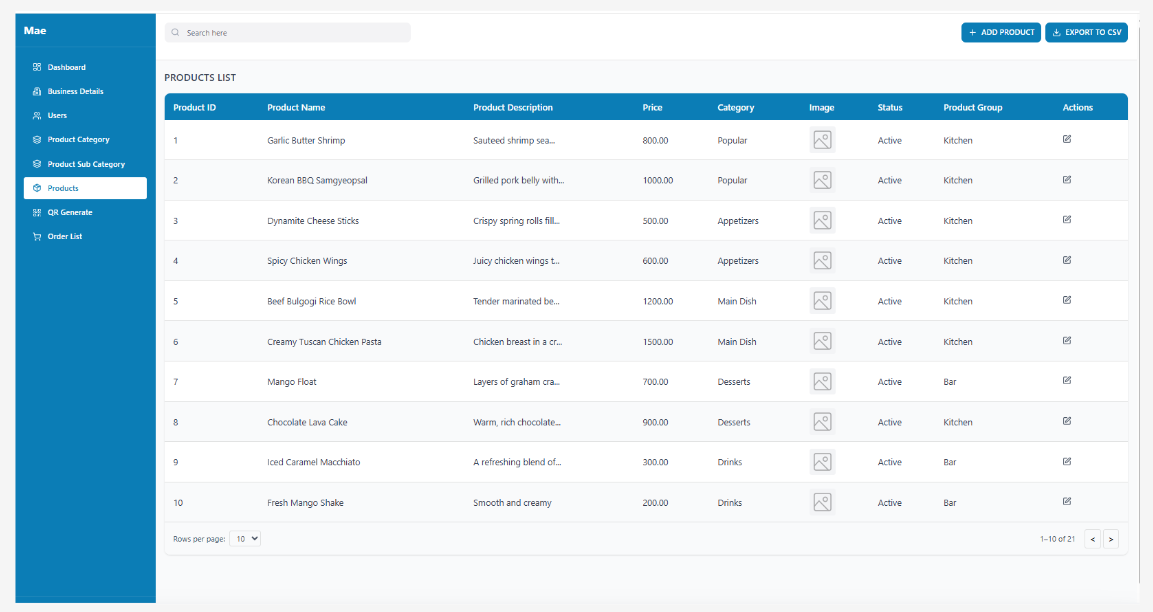
Opt for a predesigned template or craft your own. Fill your menu with a variety of menu items, prices, descriptions, and appetizing images. We can also create the menu for you with our professional design team.
Easy EditorTemplatesBulk Import
3
Start Receiving Orders
Seamless Operations
Receive unlimited dine-in, delivery, and takeaway orders with our subscription. Track orders in real-time through our Waiter View and Kitchen View systems for streamlined operations.
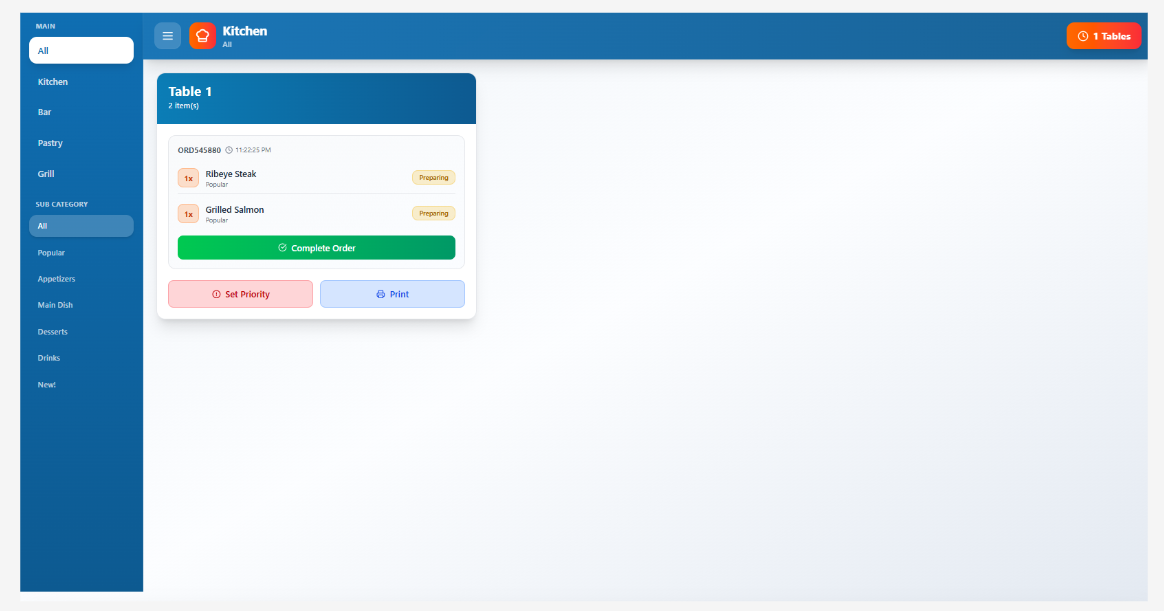
Kitchen View
Kitchen staff can see all incoming orders in real-time, mark items as preparing, ready, or completed. Organized by priority and table number for efficient food preparation.
Waiter View
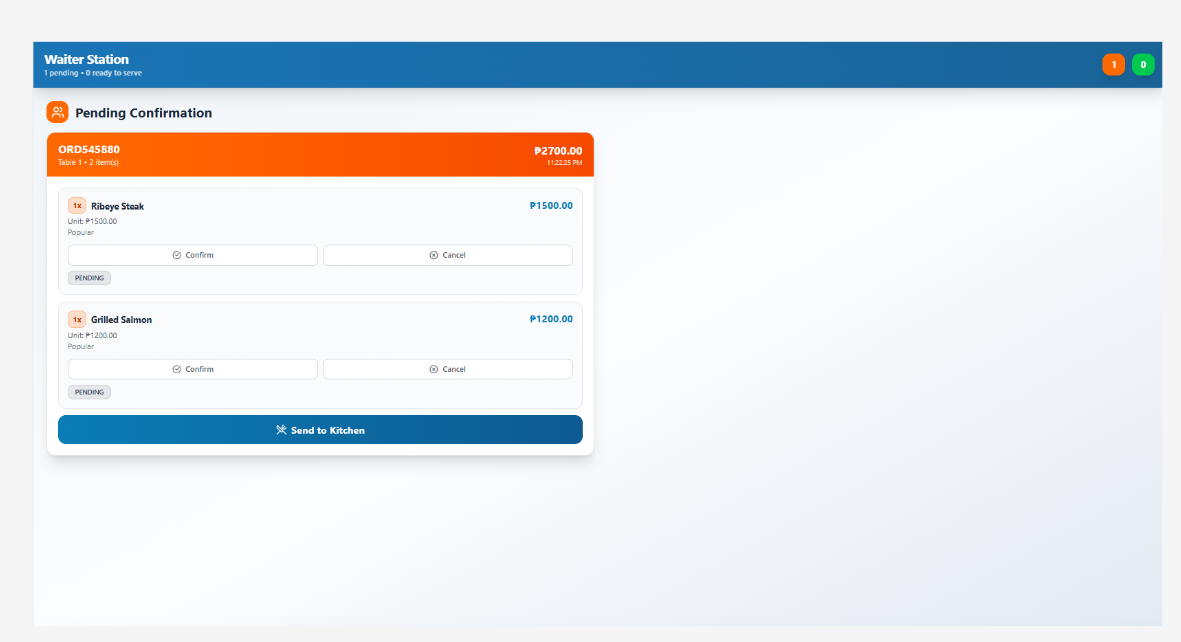
Waiters can manage tables, confirm orders, track order status, and ensure timely delivery to customers. Complete visibility of all active orders and table assignments.
Transform your restaurant into a hub of efficiency and customer satisfaction.
Appealing Visual Menu
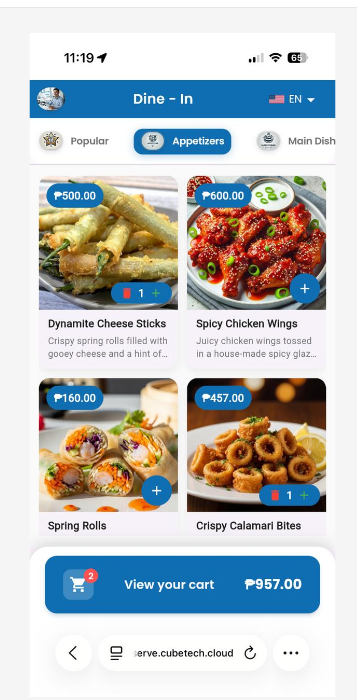
Captivate your customers with a stunning menu featuring enticing images of your dishes.
Easy Navigation
Ensure your customers can quickly find their favorite meals. Get your restaurant online in just minutes with our straightforward and efficient setup process.
Real-Time Order Updates
Keep your customers informed with instant notifications about their order status, enhancing their dining experience.
SnapServe
Plans and Pricing
Flexible pricing options designed for restaurants of all sizes.
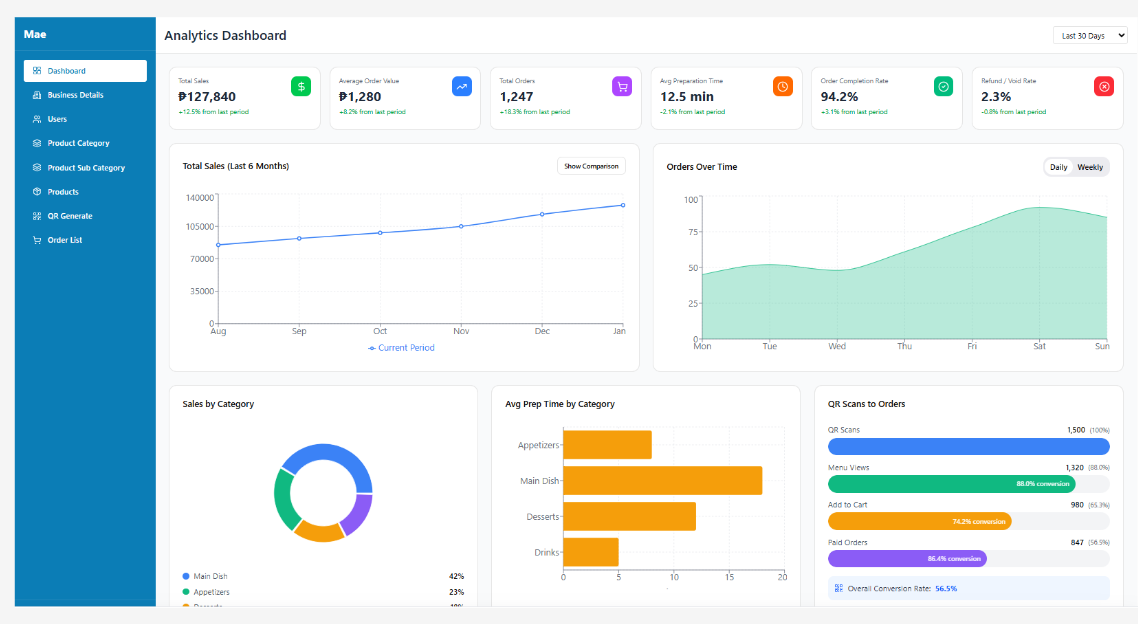
Gain valuable insights into your restaurant's operations with our comprehensive analytics dashboard. Monitor sales trends, track popular menu items, analyze customer behavior, and make data-driven decisions to grow your business.
Sales Analytics
Track total sales, average order value, and revenue trends over time with detailed charts and graphs that help you identify peak hours and best-performing periods.
Category Performance
Analyze which menu categories are most popular and profitable. View average preparation time per category to optimize kitchen operations and staffing.
QR Scan Insights
Monitor QR code scans to actual orders conversion rate. Understand customer engagement at each stage from menu views to cart additions to completed orders.
Order Patterns
View orders over time with daily and weekly comparisons. Identify trends, peak hours, and optimize inventory management based on historical data.